
HBO Max: Stream TV & Movies
WarnerMedia Global Digital Services, LLCEntertainment
4.861.54K Reviews
- Version
- Varies With Device
- Installs
- 100.00M
- Age Rating
- Teen
Screenshots
Our Review of HBO Max: Stream TV & Movies
 Analysis by Appyee
When I decide whether a streaming app deserves a place on my phone, I look beyond the size of its library. I want to know whether it suits the way I actually watch, whether I can make sensible choices for my household, and whether I feel in control of the account I use to reach it. HBO Max: Stream TV & Movies is an entertainment app from WarnerMedia Global Digital Services, LLC, and its appeal is easy to understand: it brings a broad mix of series, films, reality programming, and other viewing into one service. I find it most compelling when I already have a particular show or film in mind, rather than when I’m expecting a streaming app to solve every entertainment need.
A familiar service, with a trust question worth asking
Streaming involves more than pressing play. You may use an account across devices, browse titles with other people nearby, or hand a phone to a child. Those ordinary moments make account choices and viewing context part of the experience. I wouldn’t treat the app’s large audience as proof that it is automatically the right fit for every person; the useful question is whether its content and the choices you can see suit your own habits.
The app is free to download, but that does not mean the full viewing experience is free. In-app purchases range from $2.49 to $229.99 per item, so I would check the plan and purchase details shown to me before committing. The service has a 4.8 average from around 4.9 million ratings, and has been installed over 100 million times. Those figures suggest widespread use, but they do not tell me whether a particular title is available to me or whether the service matches my budget and viewing routine.
What I can judge about control and privacy
I prefer to separate visible user choices from assumptions about data handling. In this app, the practical controls a viewer encounters are tied to how they use the service: choosing something to watch, managing an account, and deciding whether a device is the right place for a viewing session. I would review the account and purchase screens directly, especially if several people share access, rather than assuming a setting works a particular way based on the app’s name or reputation.
That cautious approach matters most when a screen is shared. If I’m browsing while sitting with family, I take a moment to choose a suitable profile or section before handing over the device, and I keep purchase decisions with the person responsible for the account. These are modest habits, not a claim that the app has any particular data practice. They simply help me stay deliberate about what I watch and what I authorize.
Content Galore: A Universe of Entertainment
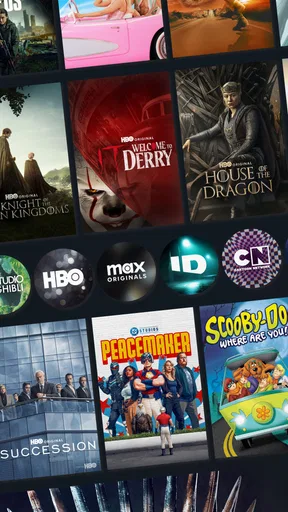
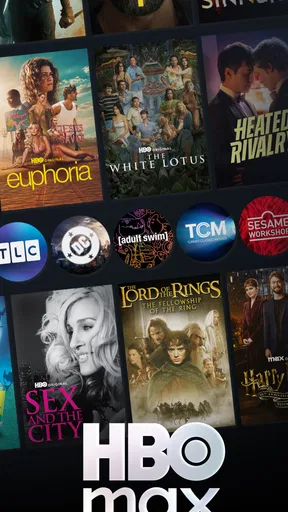
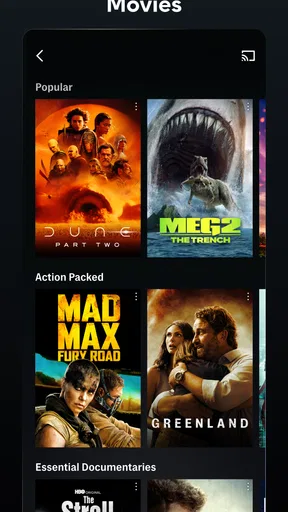
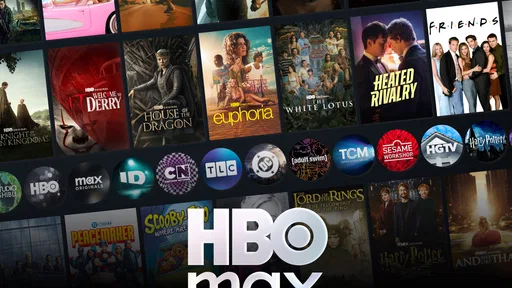
One of the first things you notice with HBO Max: Stream TV & Movies is the sheer volume of content. We’re talking about everything from blockbuster movies to exclusive TV series. I mean, who doesn’t want to watch classics like “Game of Thrones” or dive into new hits like “Euphoria”? It’s like having a cinema and TV library right in your pocket.
What sets HBO Max apart is its collection of Max Originals. These are exclusive shows and movies that you won’t find anywhere else. It’s like being part of an exclusive club where you get access to all the cool stuff first. And trust me, the quality is top-notch.
User Experience: Smooth Sailing
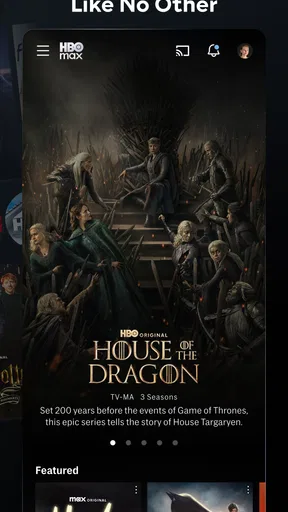
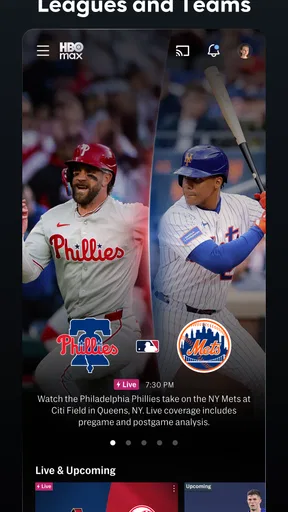
Now, let’s talk about the user experience. Navigating through the app is a breeze. The interface is intuitive, making it easy to find what you’re looking for. Whether you’re on a cozy couch with your tablet or on the go with your smartphone, the app adapts seamlessly to any screen size.
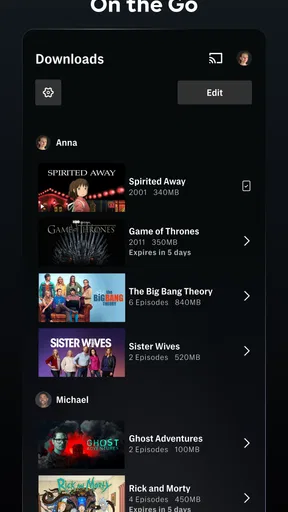
I particularly love the personalized recommendations. It’s like having a friend who knows your taste in movies and shows, and always has the perfect suggestion ready. Plus, the download feature is a lifesaver for those long flights or when you’re stuck without Wi-Fi.
Finding a good fit for your household
The personalized suggestions are useful when I want something to watch without spending the whole evening browsing, but I treat them as a starting point, not a guarantee that I’ll like the next pick. A practical habit is to search for one title I already want, then use related recommendations only if I still have time to explore. That keeps discovery from turning into endless scrolling and makes the app more useful on a weeknight when I have a short window to watch.
For a realistic example, imagine I’m commuting with a patchy connection and want to continue a film later. I can use the download feature before leaving, then watch on my phone without relying on a steady connection during the trip. I would check that the title has finished downloading while I still have Wi-Fi, rather than discovering the problem when I’m already offline. That small bit of preparation is more useful than assuming every title will be ready automatically.
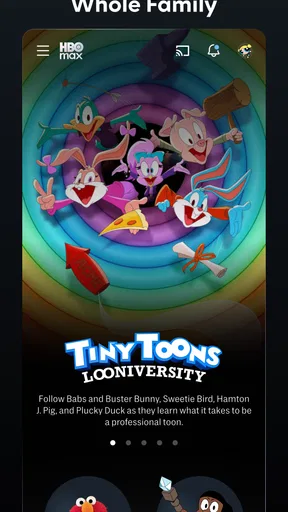
Families may appreciate having a dedicated kids’ section, while viewers who mostly want adult dramas, films, or reality shows can browse for themselves. The app is rated Teen, so I would not take the presence of a kids’ area as a reason to hand over a device without supervision. If a child uses the app, I’d look at the available parental controls and make choices with the child’s age and viewing habits in mind. A shared tablet calls for more attention than an adult watching alone.
How it compares with other ways to watch
Compared with a general video platform built around short clips and creator uploads, this app is aimed at people who want to settle into series and films. Compared with a free, ad-supported service, its paid purchase options make checking the cost especially important; I would not assume that downloading the app gives me unrestricted access to everything inside it. And compared with subscribing to several services at once, a focused library can be a better fit if the shows and films I actually want are here, but it is poor value if I rarely open it.
I would also think about how I watch before choosing it over a television provider or another subscription service. If I mostly watch one-off films that are easy to rent elsewhere, a separate rental may be more economical for me than keeping another recurring service. If I follow particular series or want a mix of films and reality programming in one place, this app is more convenient. The best comparison is not simply which service has the longest catalogue; it is which one has enough of my likely next watches to justify its cost.
Family-Friendly Features: Something for Everyone
If you’ve got kiddos at home, HBO Max has got you covered. The app includes a dedicated kids’ section filled with content that’s both educational and entertaining. Parental controls ensure that your little ones have a safe viewing experience.
And for adults, the variety is endless. From thrilling documentaries to hilarious comedies, there’s something for every mood. I found myself discovering new genres and shows I wouldn’t have watched otherwise.
Small choices that make watching easier
My main practical tip is to decide what I’m watching before I open the app when I have limited time. I search for the title first, then save browsing for a longer session. When I’m planning travel, I download in advance and verify the file is ready. If other people use the same device, I check the viewing area and controls before passing it along. These steps are simple, but they address three common frustrations: wasting time browsing, finding no connection, and leaving a child to navigate alone.
Subtitles and audio descriptions can make a real difference depending on where and how I watch. Subtitles help when the room is noisy or dialogue is hard to catch; audio descriptions can make content more accessible for viewers who benefit from them. I would check the options on the specific title I’m about to watch, rather than assume every program offers identical choices. For a late-night session, subtitles can also let me keep the volume low without losing the story.
Performance and Accessibility: Streaming Without a Hitch
Let’s be honest, there’s nothing worse than a buffering screen when you’re in the middle of an intense episode. Thankfully, HBO Max delivers a smooth streaming experience. The app loads quickly, and the video quality is fantastic, even on slower connections.
Accessibility features are also well thought out. With options for subtitles and audio descriptions, it’s clear that HBO Max is committed to being inclusive. This is a big win for users who need these features to fully enjoy their content.
Who should choose it—and who may want another option
I’d recommend considering it if you value the specific series and films associated with the service, enjoy longer-form viewing, and want the flexibility to watch on a phone or tablet as well as at home. It also suits people who like recommendations but still want to choose their own titles, and travelers who can prepare downloads before leaving a reliable connection. Its Teen content rating is worth noting for households, particularly when adults and children share a device.
I’d be more hesitant if I’m trying to avoid subscriptions or in-app spending, if I mainly watch brief videos, or if I only want one title that I could access more cheaply another way. It may also be the wrong choice if I expect every program to offer the same accessibility options or if I need a consistently strong connection for streaming and cannot prepare downloads. I would compare the available plan and the titles I care about against other services before paying, rather than choosing based on the app’s popularity alone.
A cautious verdict
As an entertainment app, HBO Max makes most sense to me as a destination for a planned evening, a series I’m following, or a film I’ve been meaning to watch. It is less persuasive as a universal answer for every household or every budget. The 4.8 average and more than 100 million installs indicate that many people use it, but my own decision would come down to whether its catalogue fits my taste and whether the cost makes sense for how often I watch.
For anyone considering it, I’d start by checking the purchase choices, browsing for a few titles I genuinely expect to watch, and looking at the controls before sharing the app with family. The minimum operating system is Android 5.0, and the content rating is Teen. Those details help frame whether it fits a device and household, while the service’s mix of originals, films, reality, and series determines whether I’d keep coming back. If those line up with your needs, it is worth exploring; if not, a different viewing option may be the more sensible choice.
In conclusion, if you’re on the hunt for an app that offers an immense variety of content, smooth performance, and a user-friendly experience, give HBO Max a whirl. It’s a fantastic option for anyone looking to elevate their streaming game. Happy watching!
Privacy and Permissions
See what permissions an app requests and how it handles your data.
- Location
- approximate location (network-based), precise location (GPS and network-based)
- Photos/Media/Files
- read the contents of your USB storage, modify or delete the contents of your USB storage
- Storage
- read the contents of your USB storage, modify or delete the contents of your USB storage
- Wi-Fi connection information
- view Wi-Fi connections
- Other
- view network connections, full network access, run at startup, prevent device from sleeping
Verdict
Strengths of HBO Max: Stream TV & Movies
- Extensive library of popular shows and movies.
- User-friendly interface with easy navigation.
- High-quality streaming with minimal buffering.
- Profiles for personalized recommendations.
- Download option for offline viewing.
Limitations of HBO Max: Stream TV & Movies
- Subscription cost may be high for some users.
- Limited availability of 4K content.
- Some titles may rotate out frequently.
- App can be slow on older devices.
- Occasional login issues reported.
Similar Picks in This Category
View All
Google Play Games
Google LLC3.9

Netflix
Netflix, Inc.4.8

YouTube Kids
Google LLC4.2

Disney+
Disney4.4

Prime Video
Amazon Mobile LLC4.7

Steam
Valve Corporation3.2
You May Also Like
View All

Frequently Asked Questions
What content is available on HBO Max?
HBO Max offers a vast library of content that includes popular HBO originals, blockbuster movies, classic TV series, and exclusive Max Originals. Users can enjoy a diverse range of genres, including drama, comedy, documentaries, and family-friendly content. New shows and movies are added regularly, ensuring a fresh viewing experience.
Can I download shows and movies for offline viewing?
Yes, HBO Max allows users to download select shows and movies for offline viewing. This feature is particularly useful for watching content on the go without an internet connection. However, not all content may be available for download, and there may be restrictions on the number of downloads you can have at one time.
Is HBO Max available internationally?
HBO Max is primarily available in the United States, but the service is gradually expanding to other regions. Availability and content may vary by country due to licensing agreements. International users should check the HBO Max website or app store listing for the latest information on availability in their area.
How many devices can I stream HBO Max on simultaneously?
HBO Max allows users to stream on up to three devices simultaneously with one account. This feature is convenient for families or households with multiple users, enabling different members to enjoy their favorite content at the same time. Users can manage their devices through the account settings.
Does HBO Max offer a free trial?
HBO Max occasionally offers free trials for new subscribers, allowing users to explore the service before committing to a subscription. The availability and duration of free trials can vary, so it’s advisable to check the official HBO Max website or promotional materials for current offers.
